Advance settings
Saved Signals: Stores all your created strategies so you can easily access, manage, and deploy them anytime.
Once you save your strategy in Signal AI, click on Deploy Signal - it will redirect you to Indicator → Saved Signals, where your strategy appears. From here, you can view all saved strategies, configure execution settings, and deploy them for Forward Test or Live AlgoTrade.
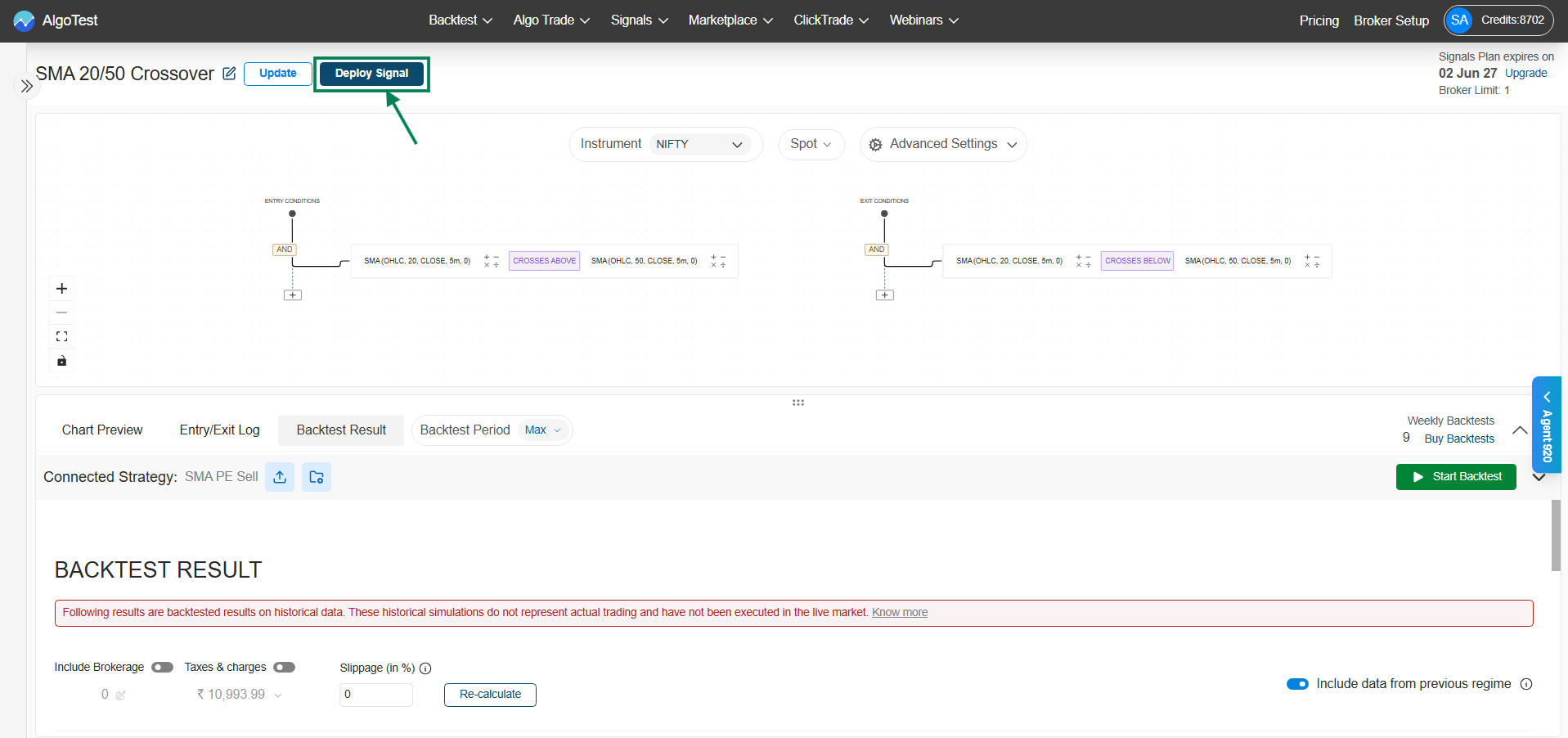
Navigation Flow: Signal → Signal Dashboard → Indicator → Saved Signals, here you can access, manage, and deploy all your saved indicator-based strategies.
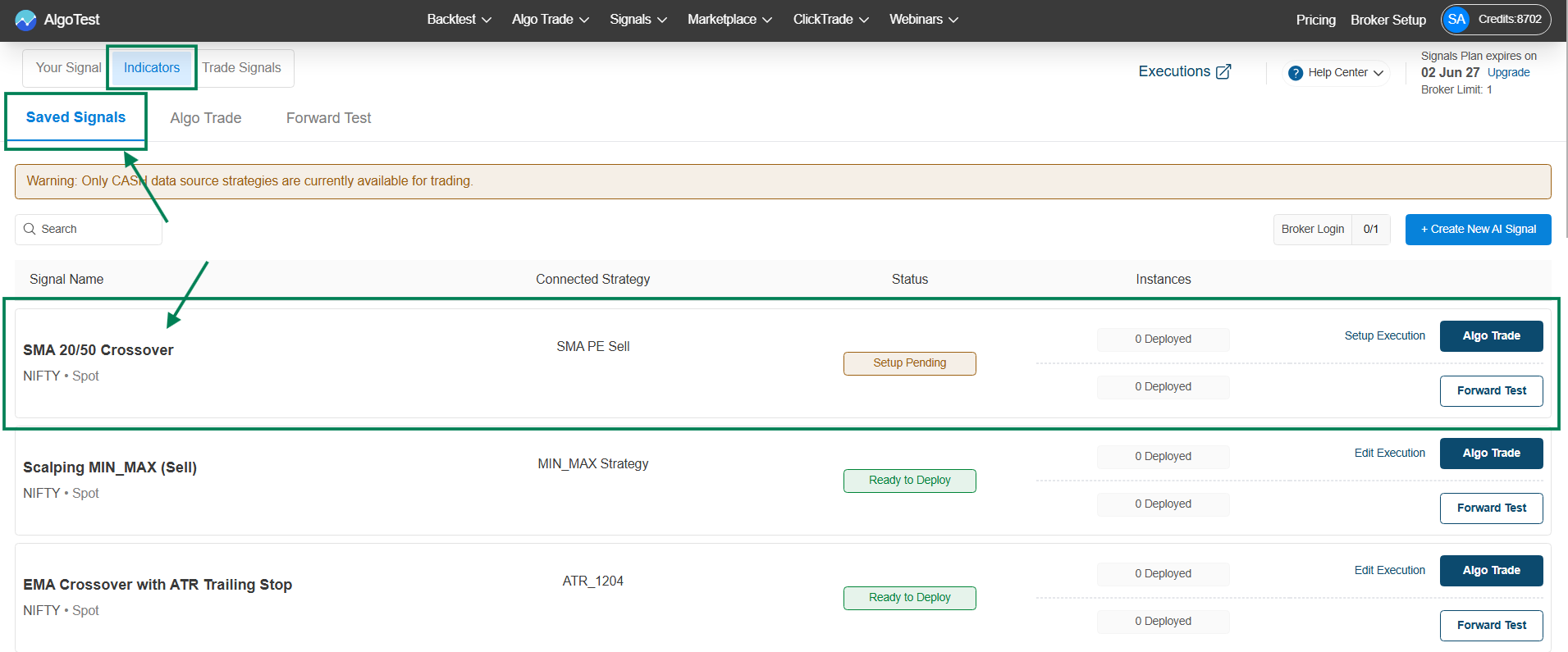
*key features and functionalities of the Indicator Saved Signals ***
→ Key Features
-
Saved Signals List
View all your created indicator-based strategies in one place with signal names and underlying (e.g., NIFTY – Spot). -
Edit & Delete Options
Easily modify your strategy using Edit or remove it using Delete from the options menu. -
Connected Strategy Mapping
Shows the linked execution strategy (e.g., SMA PE Sell) and allows quick access to edit or view the connection. -
Status Indicator
Displays the current state such as Setup Pending or Ready to Deploy, helping you track readiness. -
Instances / Deployment Info
Shows how many times the strategy is deployed (e.g., 0 Deployed).
→ Execution & Testing
-
Setup Execution
Configure broker and execution settings before going live. -
Algo Trade
Directly deploy the strategy for live automated trading. -
Forward Test
Test the strategy in real-time market conditions without actual execution.
→ Additional Functionalities
-
Create New AI Signal
Quickly build a new indicator-based strategy. -
Search & Filter
Find specific strategies easily using the search bar. -
Broker Login Status
Displays connection status and limits for broker integration.
This section acts as your control panel to manage, test, and deploy all your indicator-based trading strategies efficiently.
\